
Windows: Adding a Printer in Windows
What will be covered:
- How to add a printer
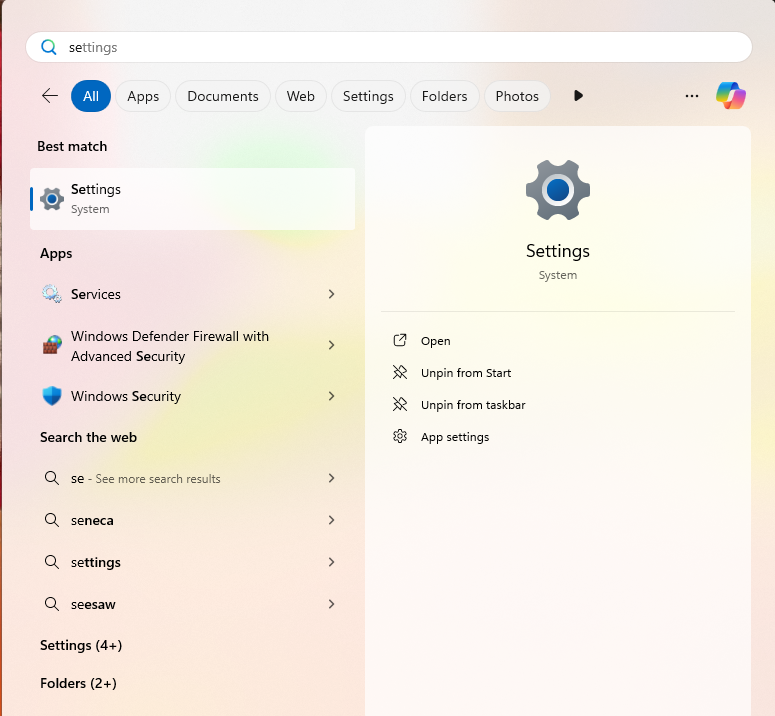
1. Open the Settings menu
Press the Windows key on your keyboard to bring up the Start Menu. Type settings in the search bar.
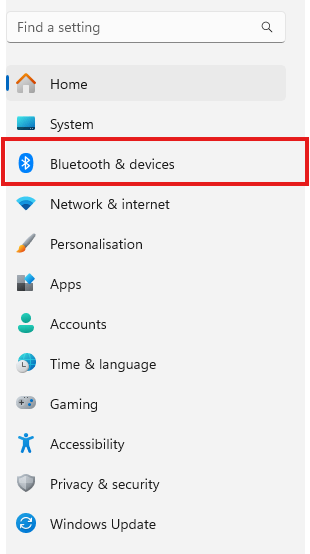
2. Open the Bluetooth & devices section
Look for the Bluetooth icon on the middle left of the screen.
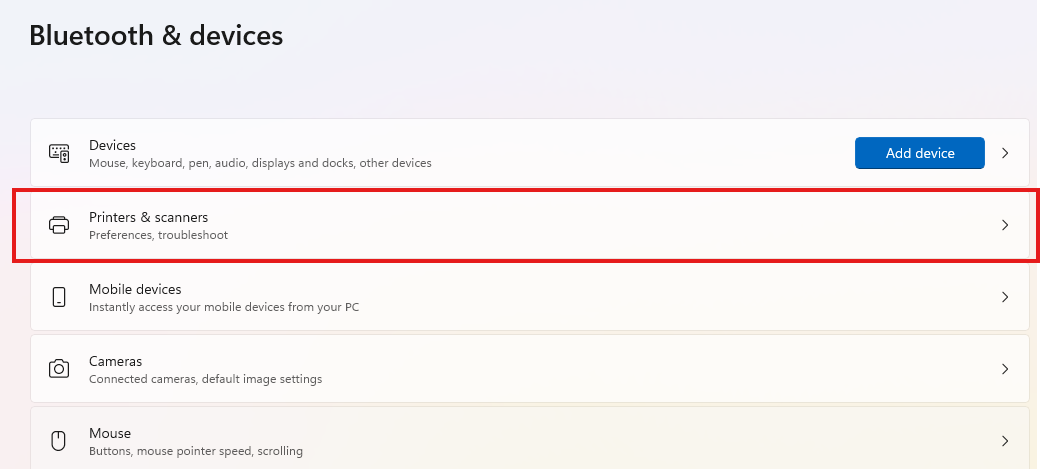
3. Open Printers & Scanners
Select Printers & Scanners in the list of options.
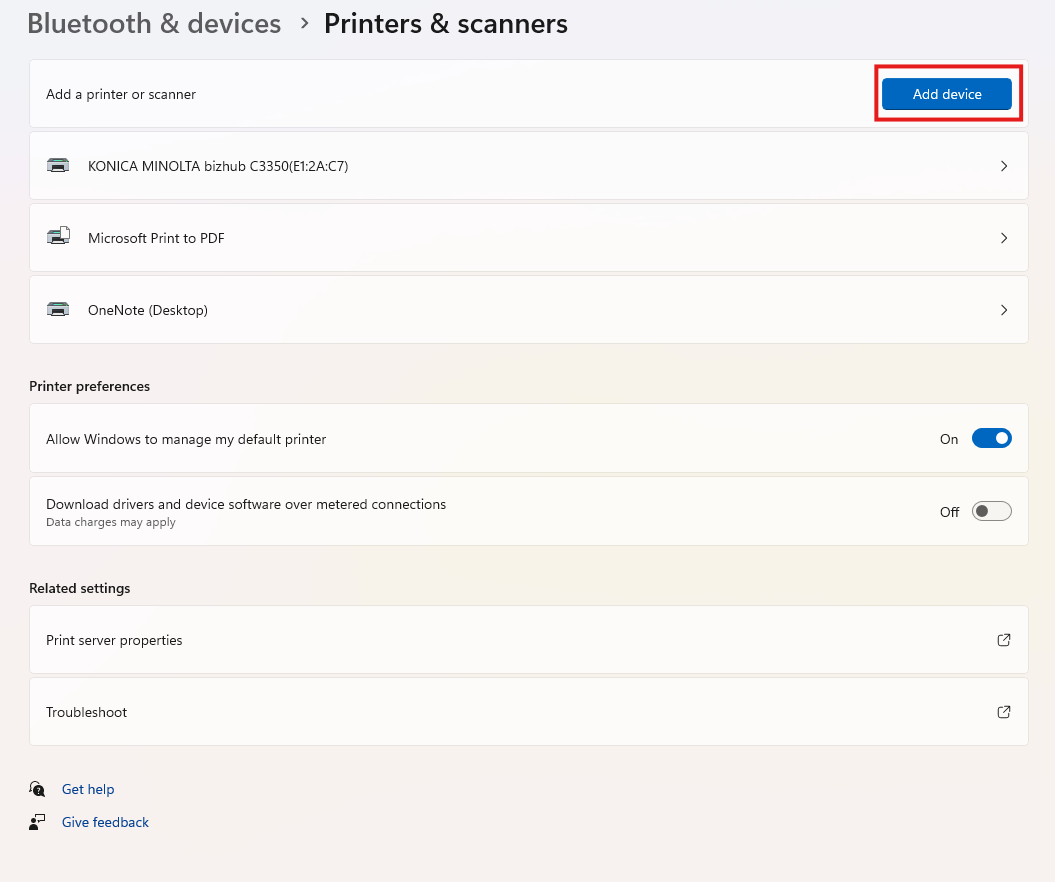
4. Click Add Device
Windows will automatically search the network for available printers. Most of the times this might fail due to drivers not being installed. Depending on the printer you are trying to connect, search the printer model and name on google to install the drivers. after they have been installed re-add the printer. Make sure you are on the same network as your printer.
No Comments