
Windows: Configuring Power settings
Managing your Windows power plan settings allows you to control when your computer sleeps and when the monitor turns off. By customizing these settings, you can optimize power usage, improve system performance, and prevent unnecessary interruptions.
1. Open the Start Menu
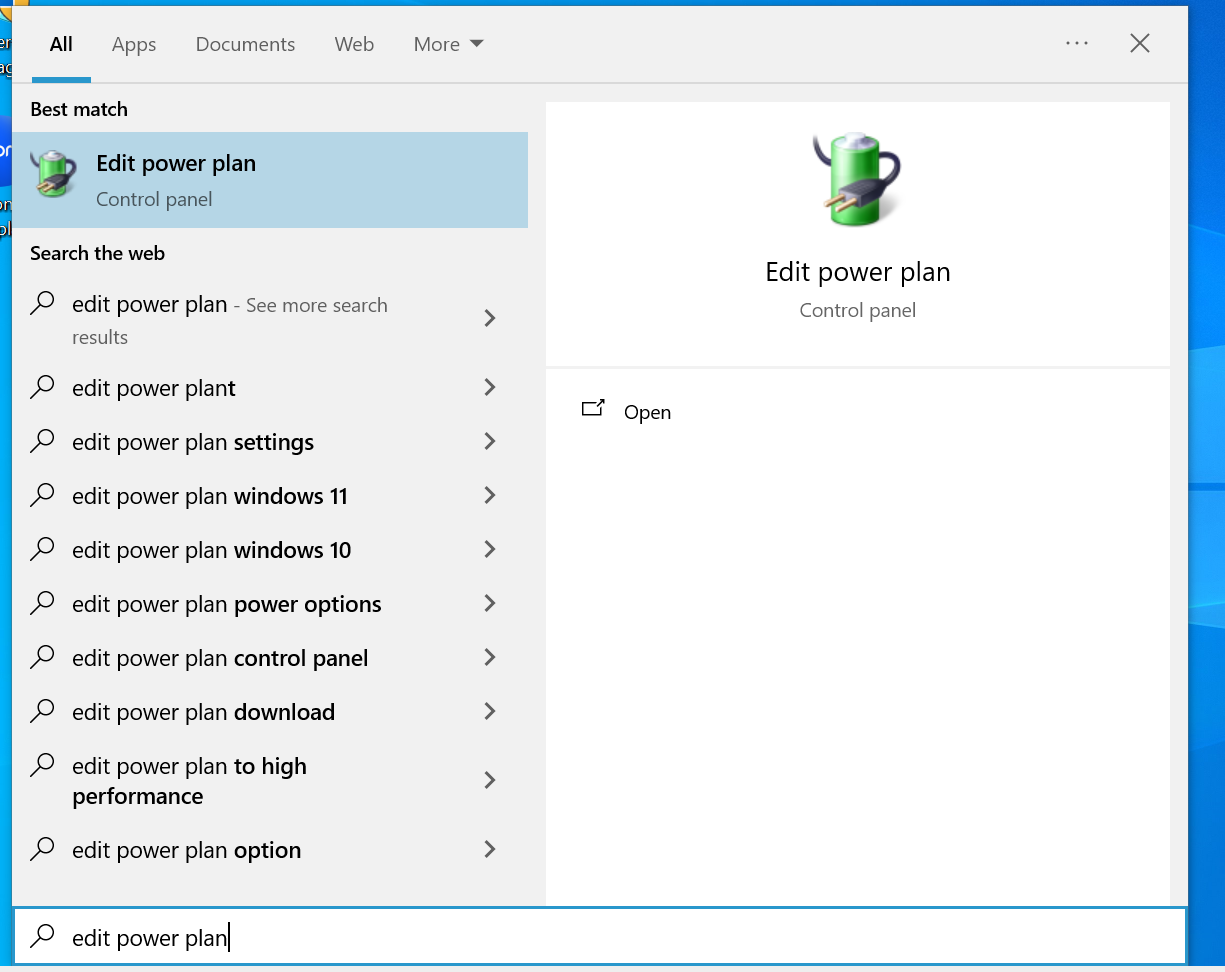
Press the Windows key on your keyboard to bring up the Start Menu. Search for "Edit Power Plan"
2. Edit Plan Settings
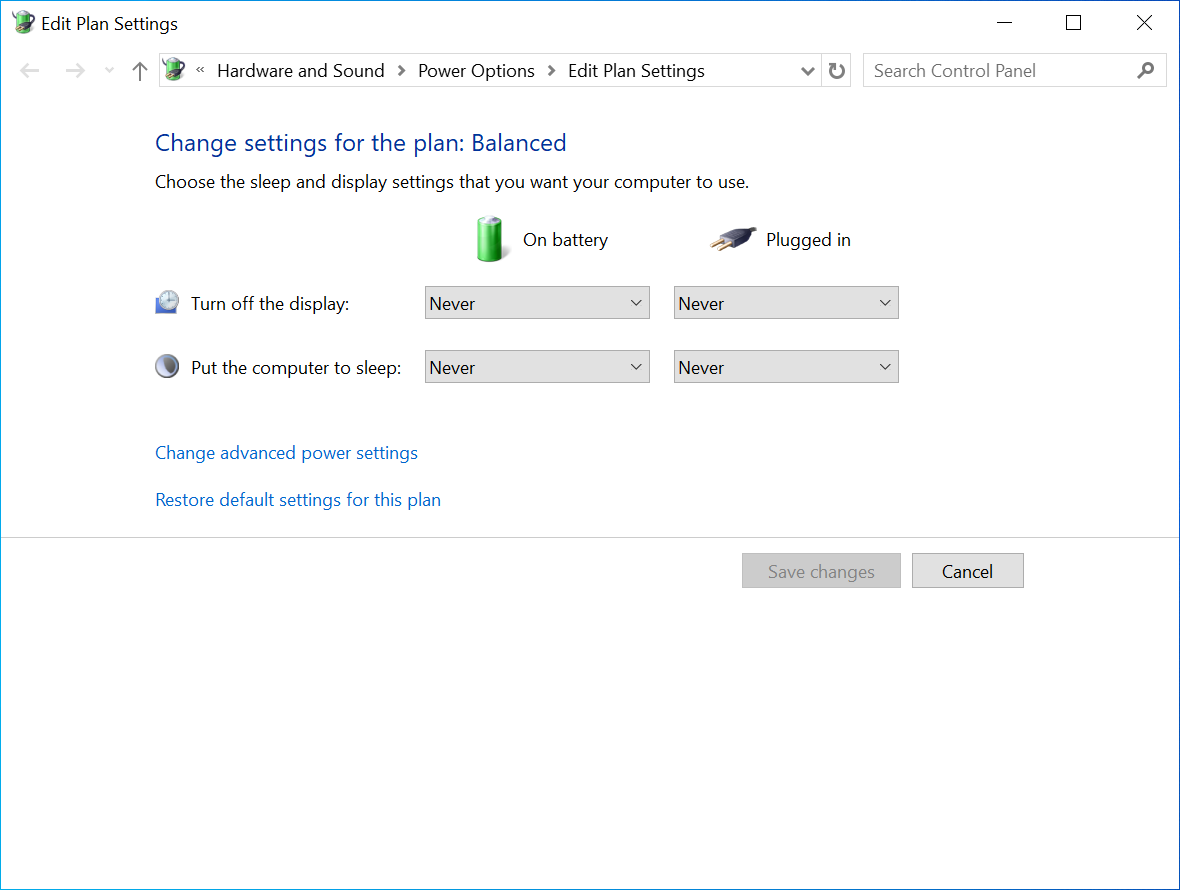
Use the drop down menu to select when the screen display turns off or put the computer to sleep.
No Comments