
Browsers: Bookmarking Sites
In this guide, we'll show you exactly how to add a bookmark using the Chrome browser. Please note, the steps for Microsoft Edge differ slightly but are similar.
1. Open the Chrome
Open Chrome and navigate to the website you wish to bookmark.

2. Bookmark a site
In the top-right corner, click the Star icon to bookmark the site.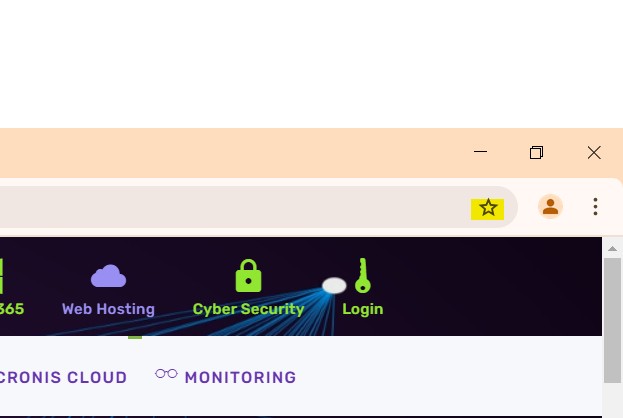
3. Bookmark Bar
Press CTRL + SHIFT + B to display the bookmarks bar if it isn’t visible.

4. Drag & Drop
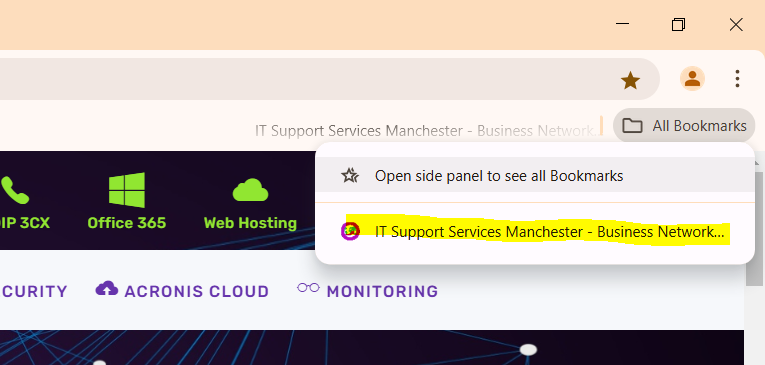
At the top of the screen, open the "All Bookmarks" menu. Drag the newly bookmarked site from the list onto the bookmarks bar for easy access.

No Comments