
OpenVPN Connect: How to Start a VPN connection
Quick guide showing how to connect to a VPN via the OPENVPN CONNECT software.
1. Open Tray Icon
In the tray, Find the icon below.
If the Application doesn't appear in the tray, Click the windows button and search "OpenVPN Connect". Open the Application.
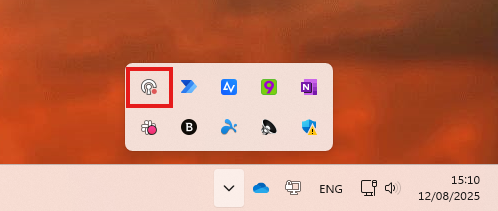
OR

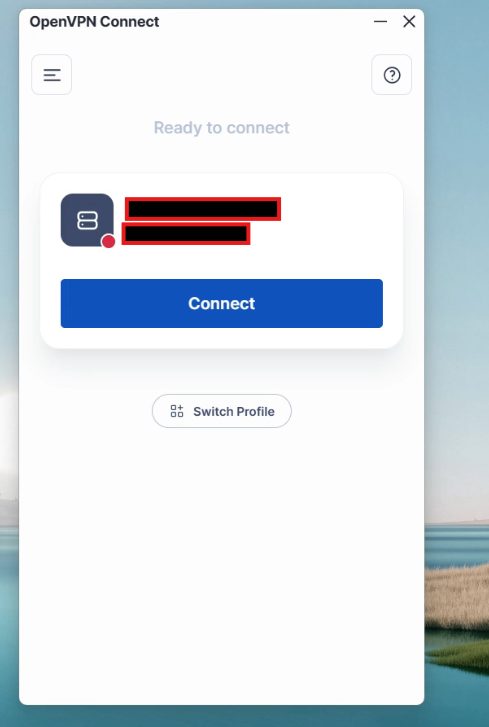
2. Select the VPN Configuration
Click Connect.
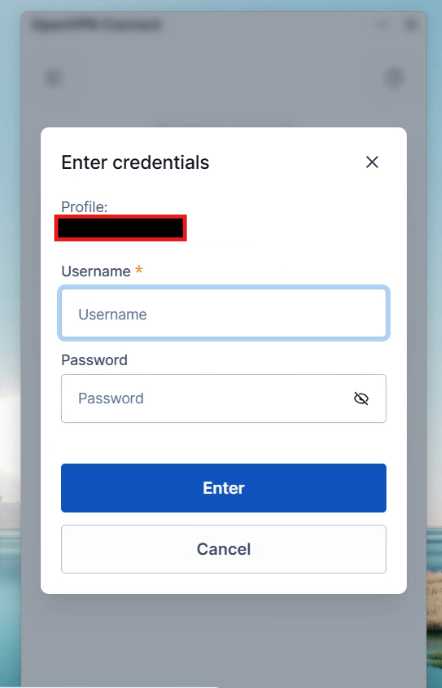
3. Enter in your credentials (If they are not autosaved)
This might be related to your computer login or a credential we have provided you with.
No Comments