
SMART ID: How to print an ID Badge
How to print from the IDesigner for SMART ID Printers.
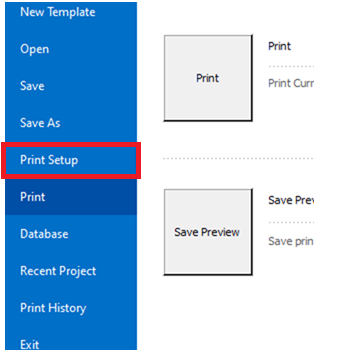
1. Open Print Setup
Top right of the screen click and open the file menu. then click Print setup.
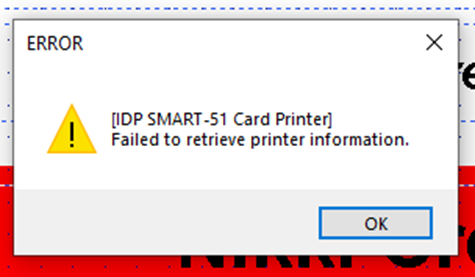
2. Ignore errors
Click okay on the errors until you see the printer setup prompt screen.
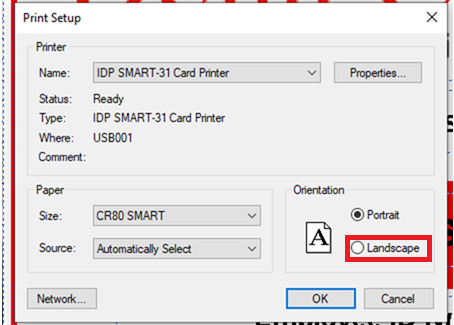
3. Set the right orientation
Choose the correct orientation.
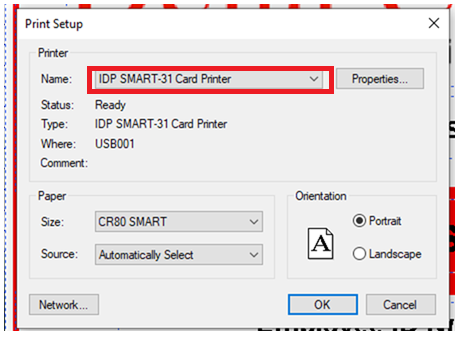
4. Choose the correct printer
From the drop down menu choose the IDP SMART 31 Card Printer, then click okay.
5. Print the Card
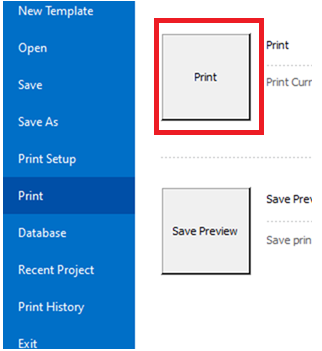
Again click on the file menu at the top right of screen. Now choose print menu and click the print button.
No Comments