
Bitdefender: Postponing Anti-Virus Scans
Bitdefender Scan: Bitdenfer scans ran monthly to check your system for any malware/virsus. When scans happen it can take up a lot of computer resources. So in this article we will show you how to postpone a Scan to ensure you have the best experience when you are working in-times of an Anti-virus scan
1. Open Bitdefender
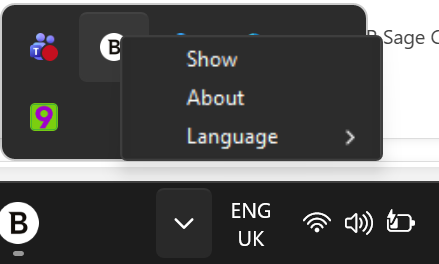
Press the up arrow to open up the icon tray menu. Alternatively, you might find the Bitdefender icon on your task bar on the bottom right of the screen.
Once you found the icon, right click it and click show.
2. Postpone the scan
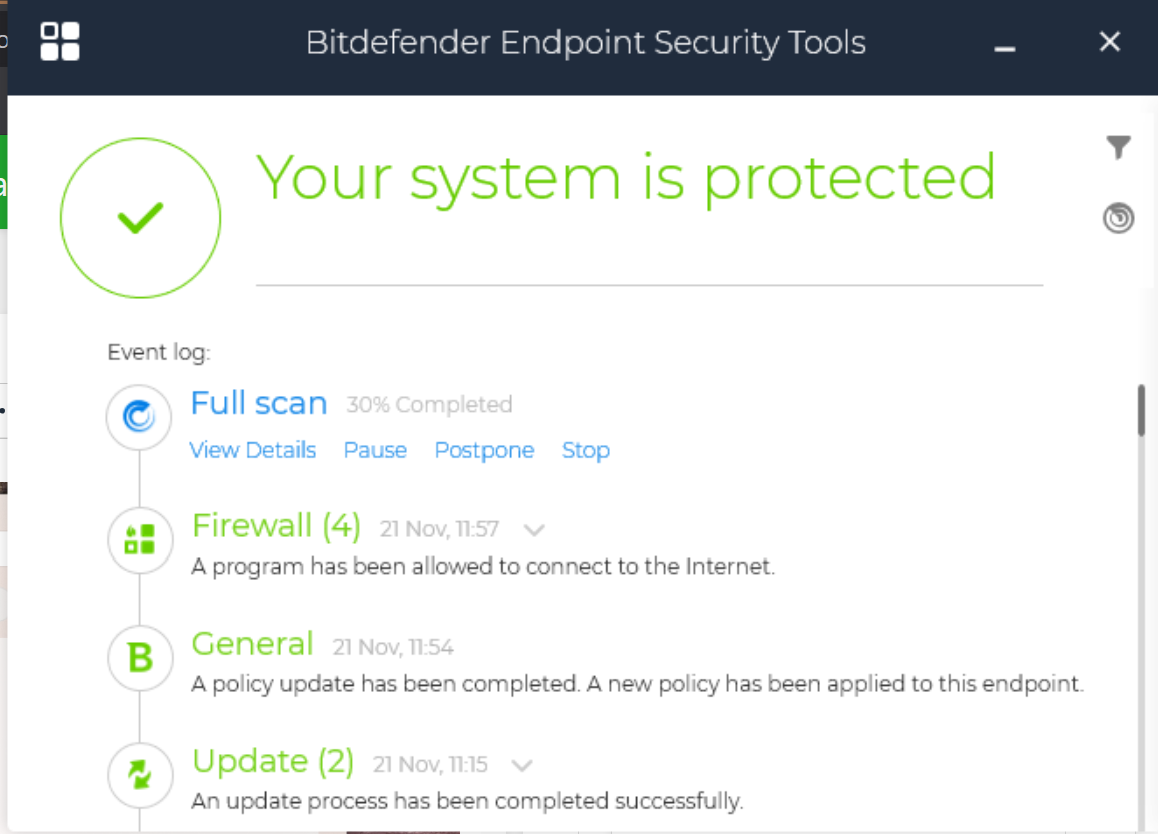
You'll see a similar screen as the image below. Click postpone.
3. Postpone settings
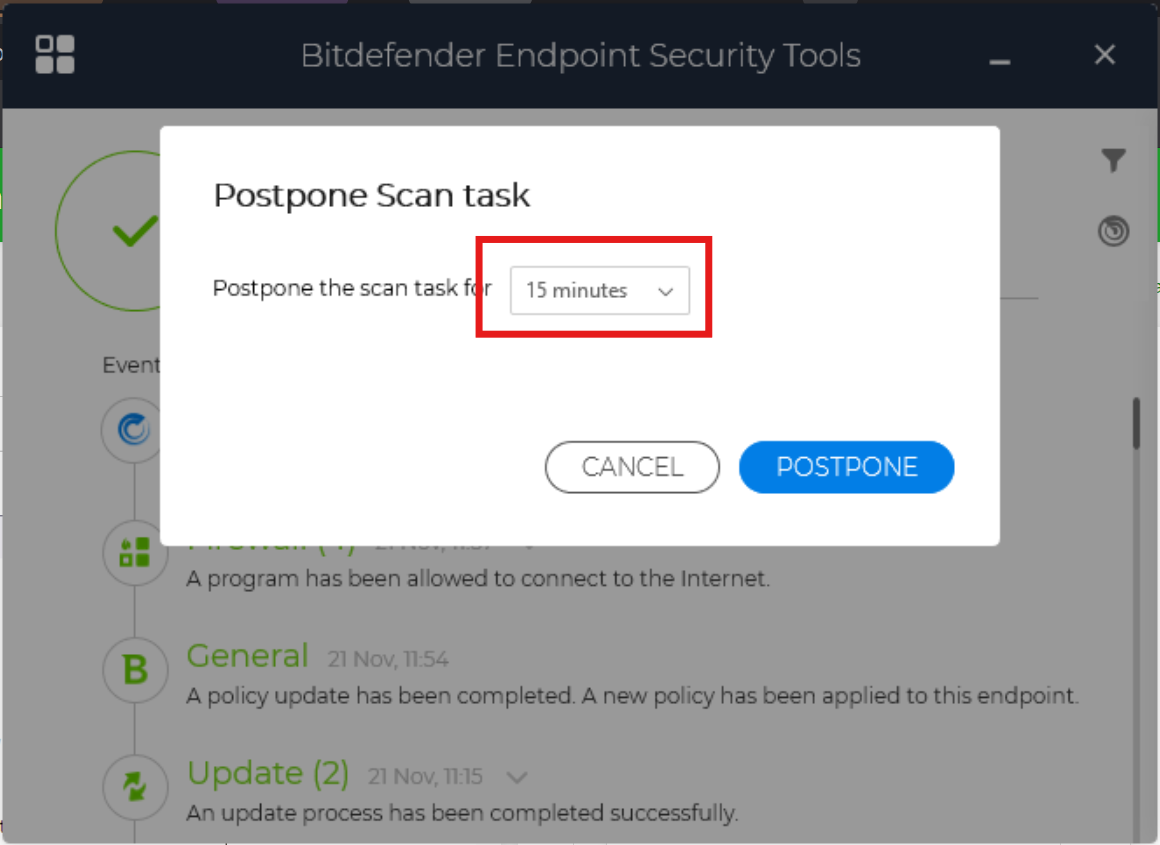
Here you can pick how long to postpone the scan, the maximum is one hour. After an hour, you can postpone it again, if you still working.
Things to keep in mind
- When you are done working, please leave the device on whilst the scan does its job. if its a laptop then make sure its charged sufficiently.
- Once the scan is complete, you will not need to worry about it until next month as per our full scan schedule.
- If scan is not complete and you device is offline, the scan will wait until the device is back on. Once the device is back on it will force the scan and the machine will feel sluggish again. You still have the ability to postpone the scan.
No Comments