
Outlook: Signature Images not showing.
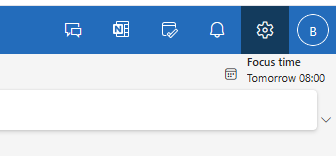
1. Open the Setting menu
Find the Gear icon, top right of the screen (near your profile picture).
2. Compose in HTML Format
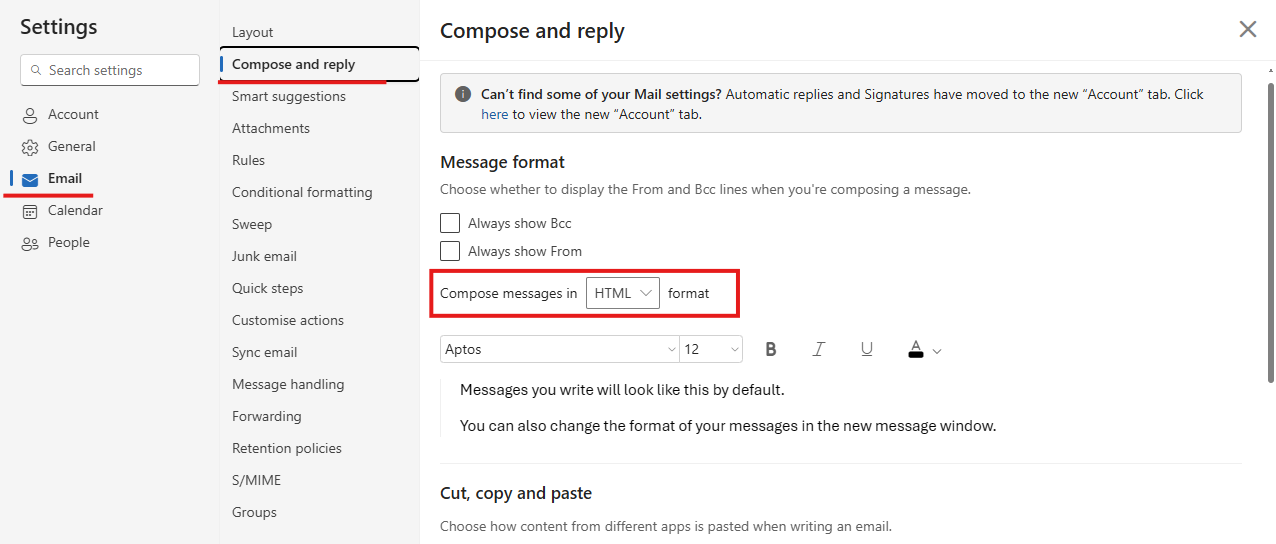
Go to Email > Compose and reply > Ensure Compose messages is set to HTML.
Find the Gear icon, top right of the screen (near your profile picture).
Go to Email > Compose and reply > Ensure Compose messages is set to HTML.
No Comments