
Outlook: Send from another mailbox
This Quick article goes through enabling the "send from" options on your outlook to enable you to select a mailbox from which the email will be sent by.
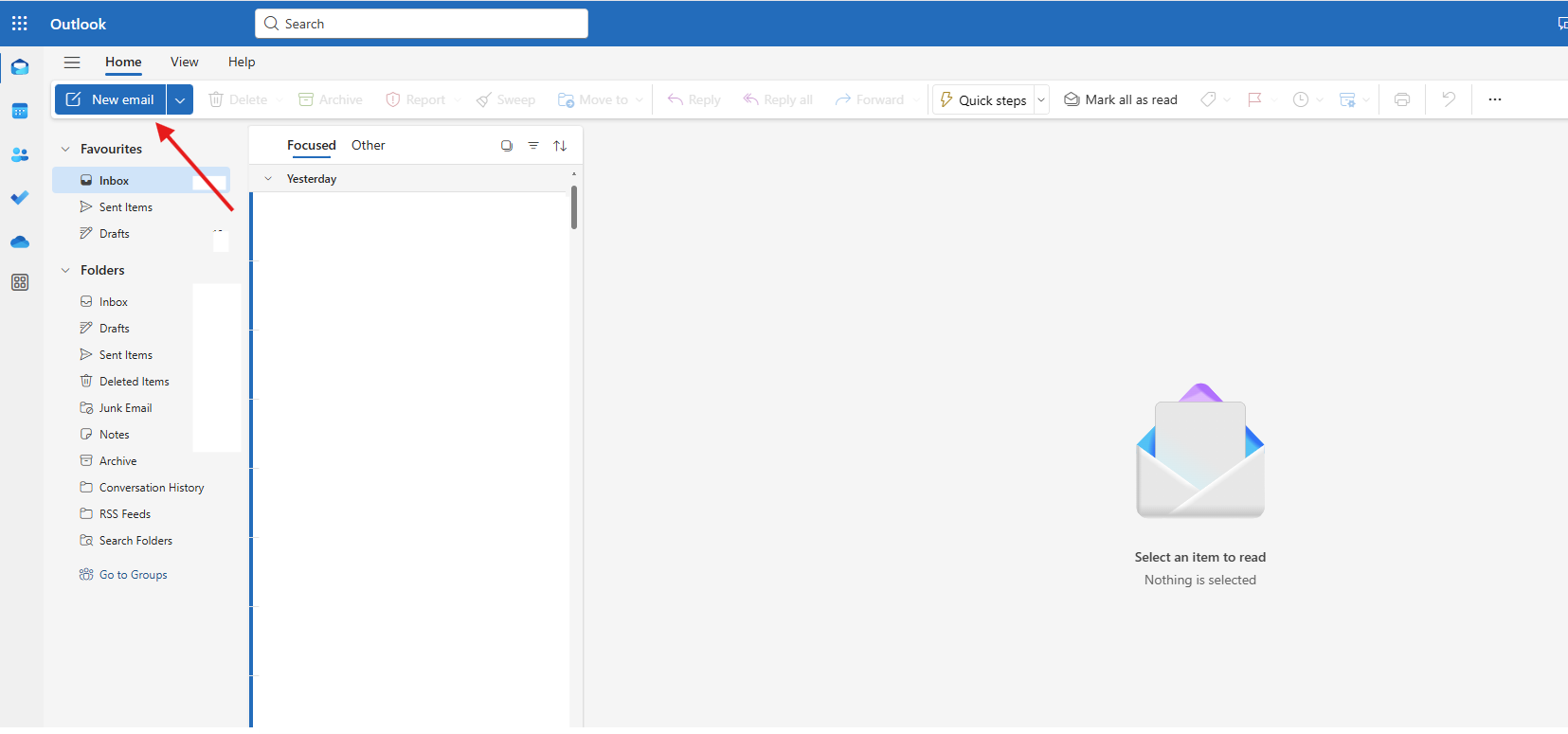
1. Click "New Email"
Click "New email".
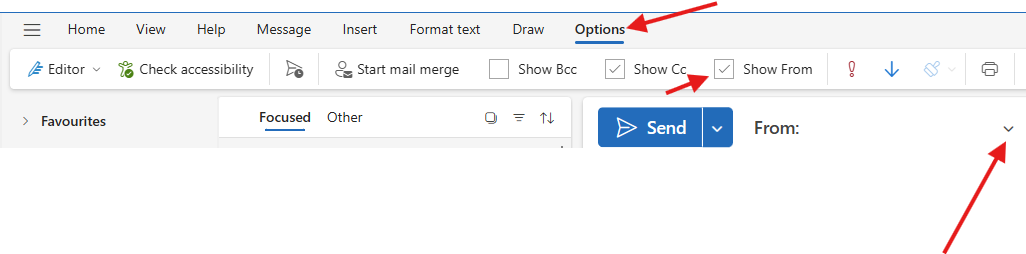
2. Enable "Show From"
This Quick article goes through enabling the "send from" options on your outlook to enable you to select a mailbox from which the email will be sent by.
Click "New email".
No Comments