
Word: How to Password Encrypt a PDF File
You can use Microsoft Word to encrypt a PDF file. This quick guide shows you how to Password Encrypt a PDF File using Microsoft Word.
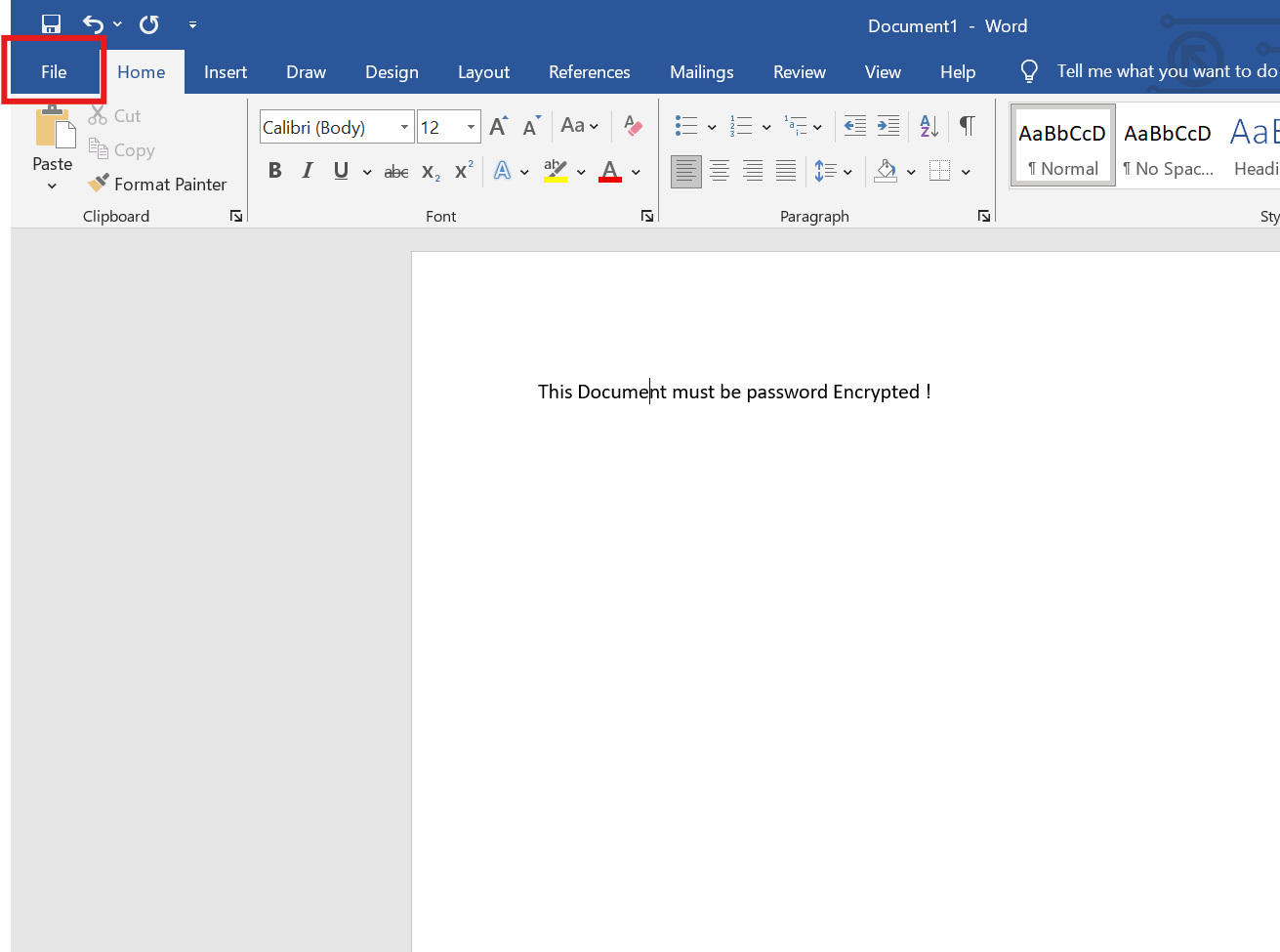
1. Open the File menu
Once you have opened the document, click the file menu at the top-left of the screen.
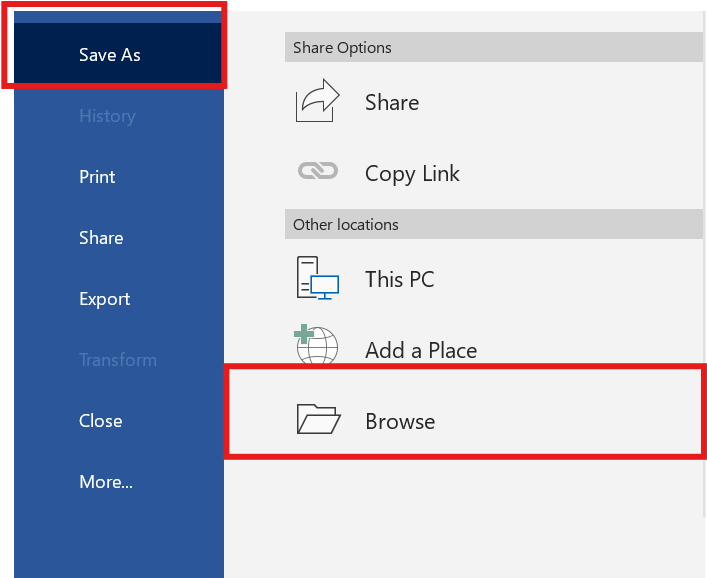
2. Save As > Browse
Click Save As > Browse
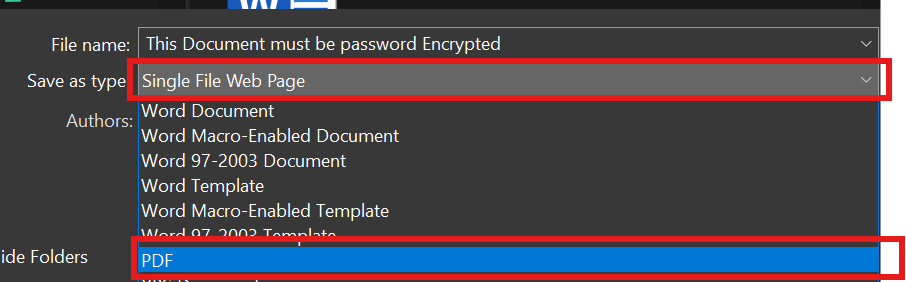
3. Save as Type as PDF
Click the drop down menu and choose PDF
4. Click the option button

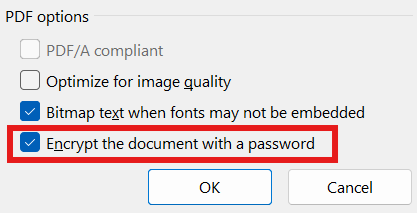
5. Enable "Encrypt the document with a password"
At the bottom of the windows, make sure the "encrypt the document with a password" is ticked. then click OK.
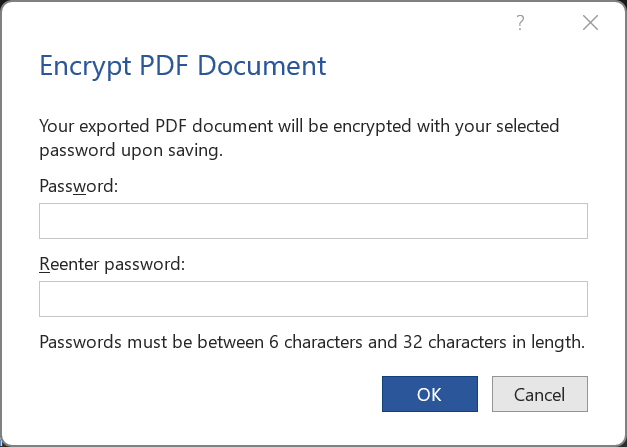
6. Enter a password
Soon after you click OK, you will be requested to enter a password.
7. Save the PDF
Lastly, choose a location where you want this PDF + Password encrypted to be stored at.
No Comments