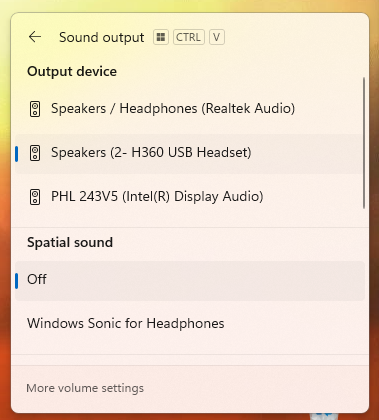
Windows: Selecting Output Audio Device
What will be covered:
- How to Select the appropriate audio output device
Reason: One reason to select the right output device is Windows might of auto-selected the wrong output device and now the audio is being outputted from your monitor instead of the headphones.
1. Open Quick Panel
Locate the quick panel at the bottom right of your screen and open it.
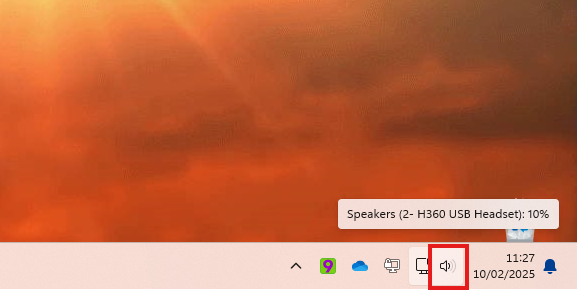
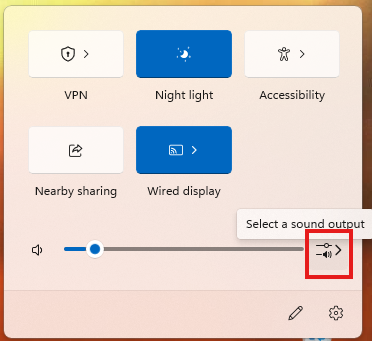
2. SearchOpen forSound QuickOutput AssistMenu
Type Quick Assist inClick the searchSound bar,Output then press Enter to open it.menu.
3. EnterSelect & Test
Whatever Windows has recognized of sound output devices will be displayed under the SupportOutput Codedevice.
Once Select the Quickappropriate Assistoutput windowdevice appears,so you’llthat seeaudio acan promptbe askingoutputted forto athat code.device Yourinstead ITof support engineer will provide this code.
another.