Office
Articles related to word, excel, PowerPoint... etc the Office software suite.
Office: Converting a file into a PDF
You might require to save a document in PDF format. This article shows you how to convert a word document into a PDF. although we have demonstrated it using word it will work on excel, PowerPoint... etc
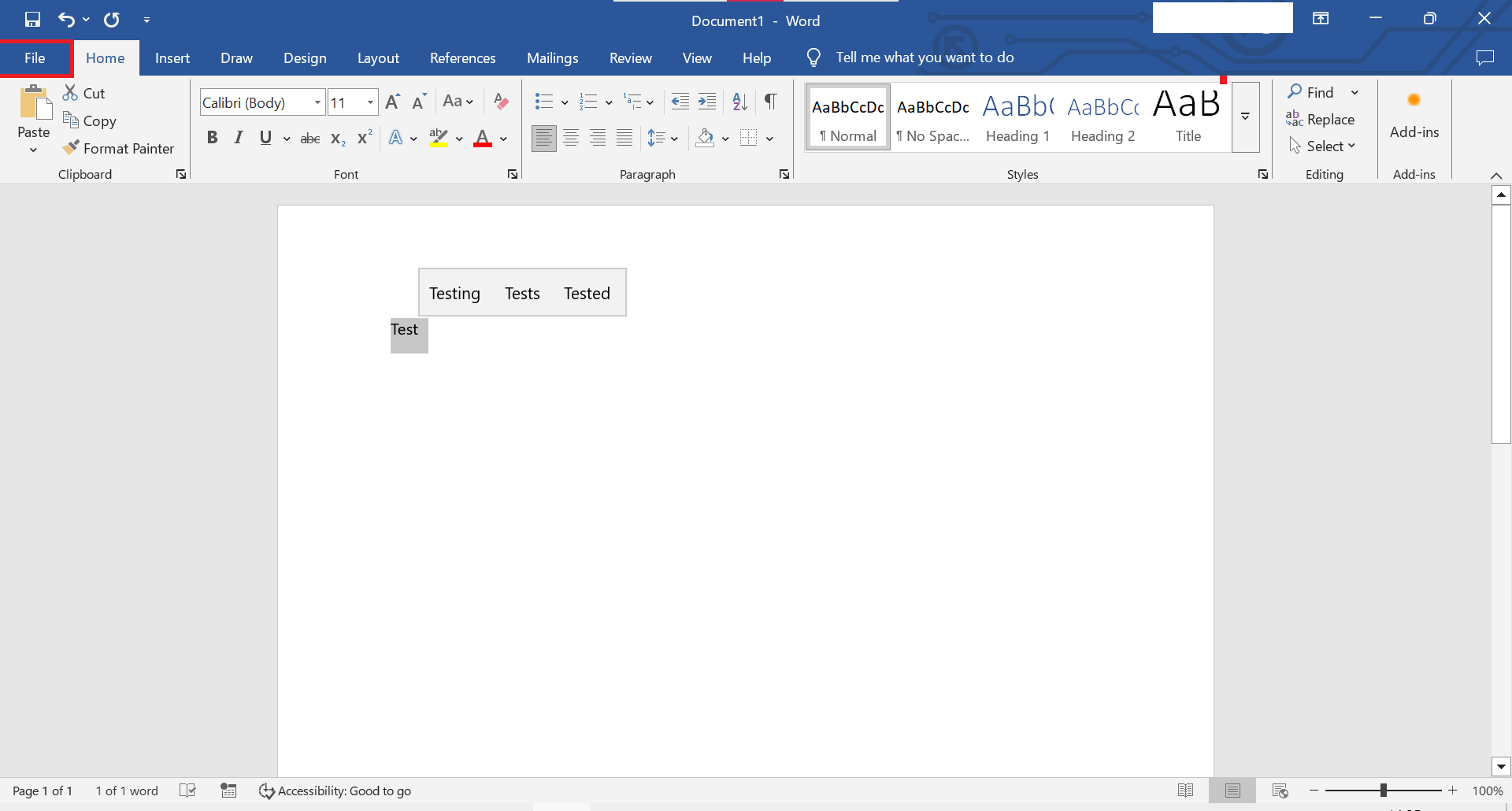
1. Open File Tab
Top-right click File Tab.
2. Save As Tab
Inside save as tab, look for the browse button.

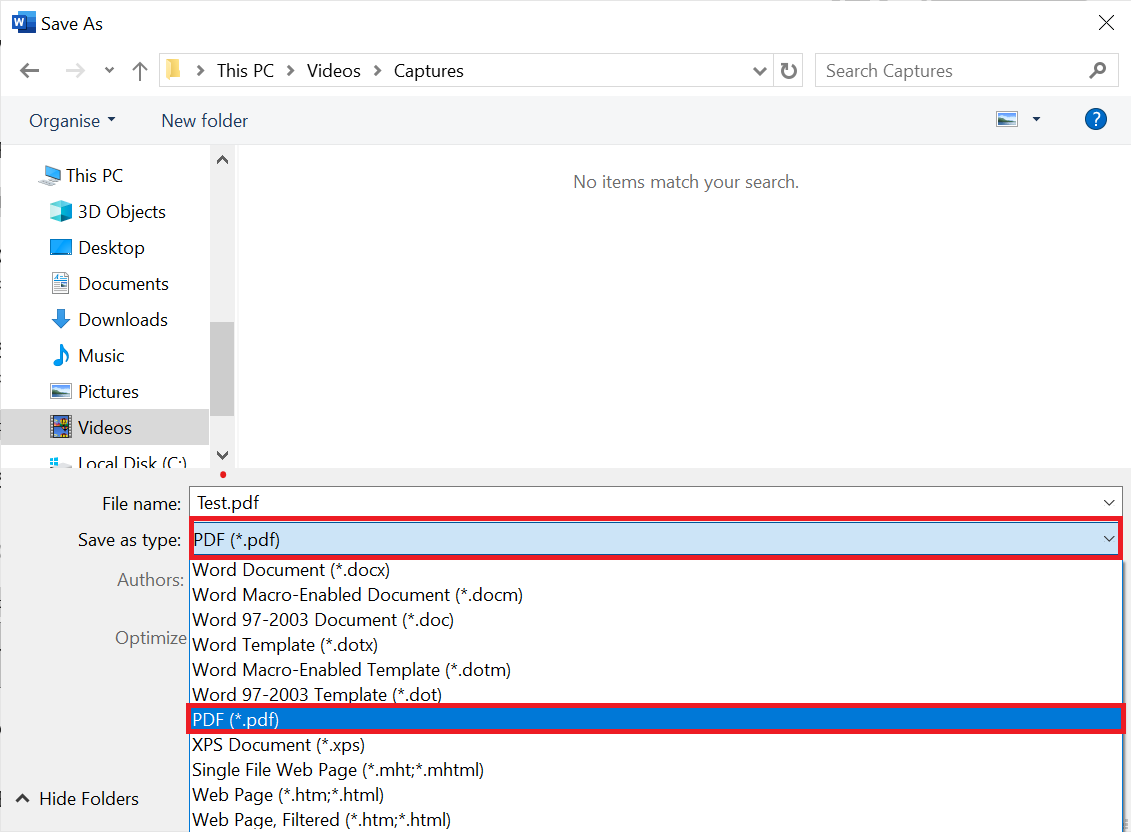
3. Save as type PDF
Under the file name, you can select what file type you would like to save your word document as. Make sure you have already saved it as a Word doc before saving it as a PDF.
4. Converted to PDF
As soon as you click save, it will open the PDF.

Word: How to Password Encrypt a PDF File
You can use Microsoft Word to encrypt a PDF file. This quick guide shows you how to Password Encrypt a PDF File using Microsoft Word.
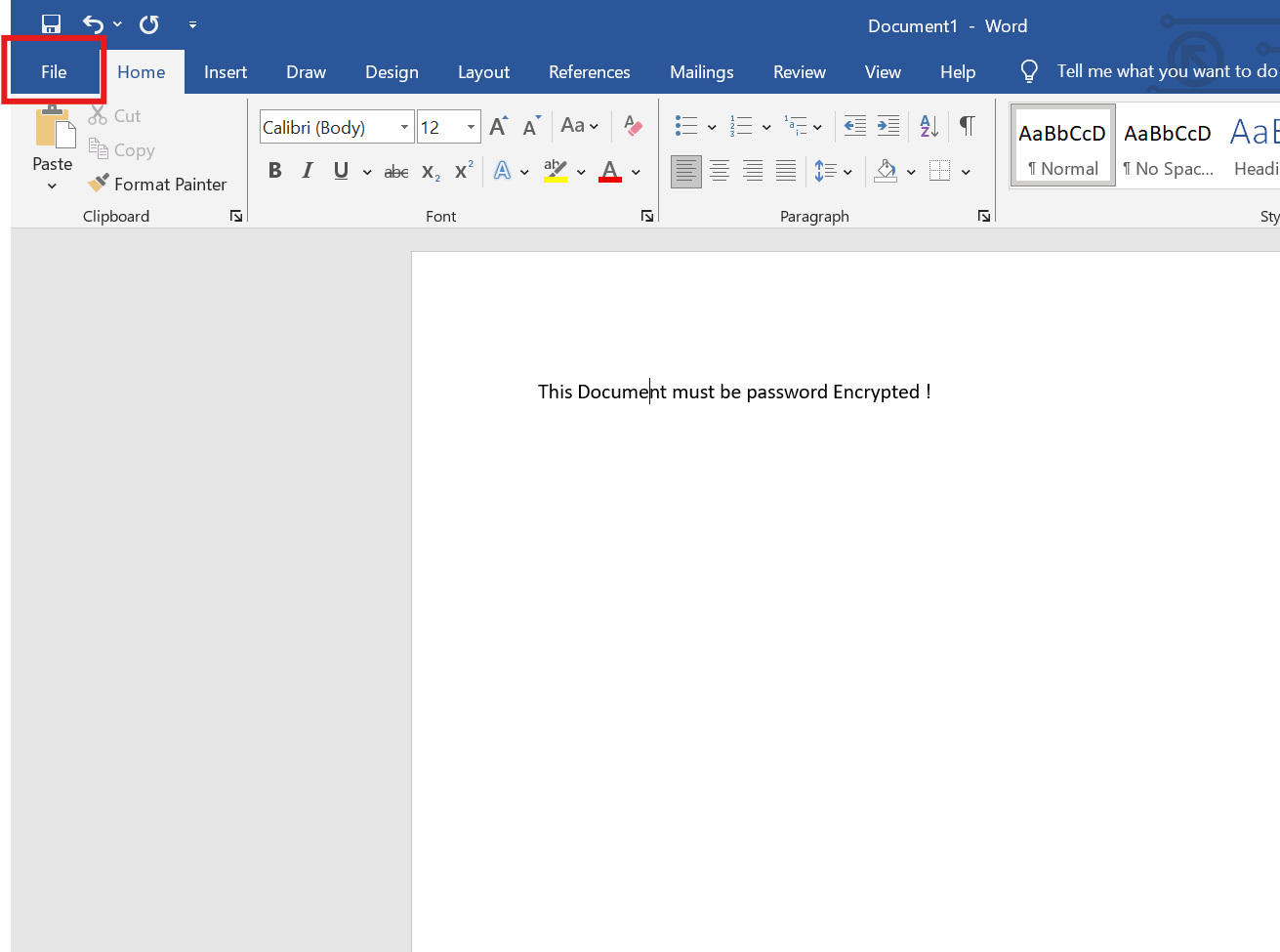
1. Open the File menu
Once you have opened the document, click the file menu at the top-left of the screen.
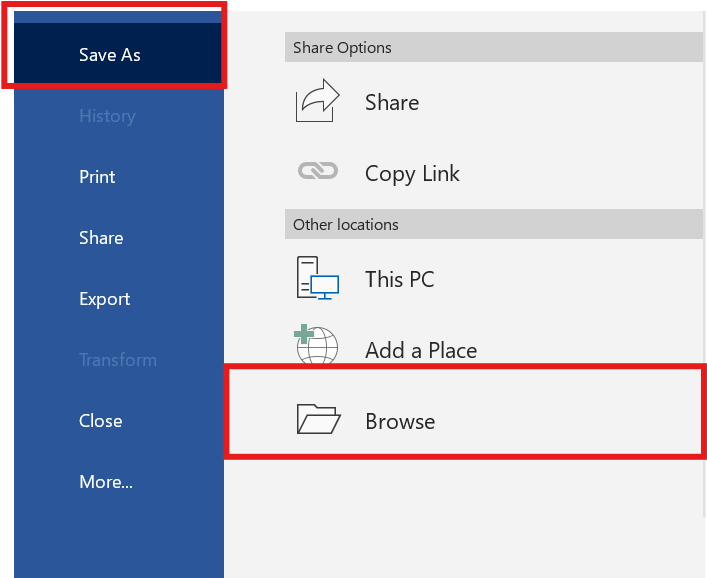
2. Save As > Browse
Click Save As > Browse
3. Save as Type as PDF
Click the drop down menu and choose PDF
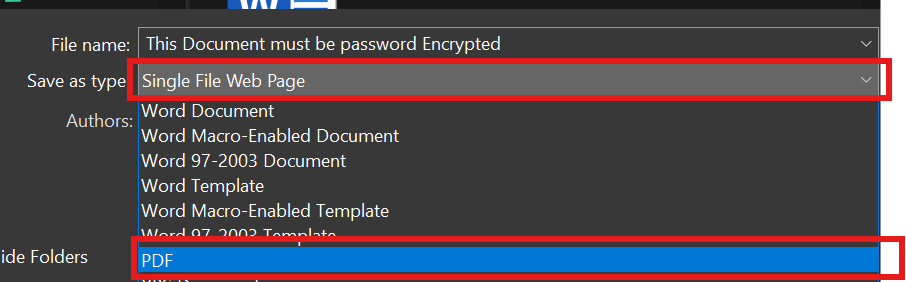
4. Click the option button

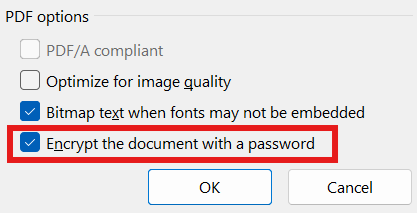
5. Enable "Encrypt the document with a password"
At the bottom of the windows, make sure the "encrypt the document with a password" is ticked. then click OK.
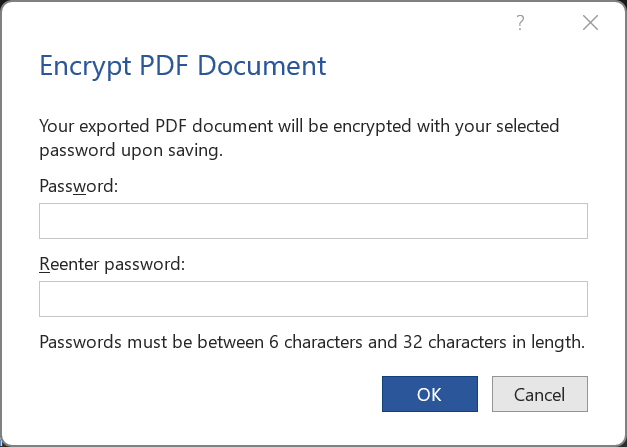
6. Enter a password
Soon after you click OK, you will be requested to enter a password.
7. Save the PDF
Lastly, choose a location where you want this PDF + Password encrypted to be stored at.